
Safe Folder: Keep Secure Photo Vault App Lock1.0.77 - Google Play
You'll be able to see results in few seconds.
Publisher Description
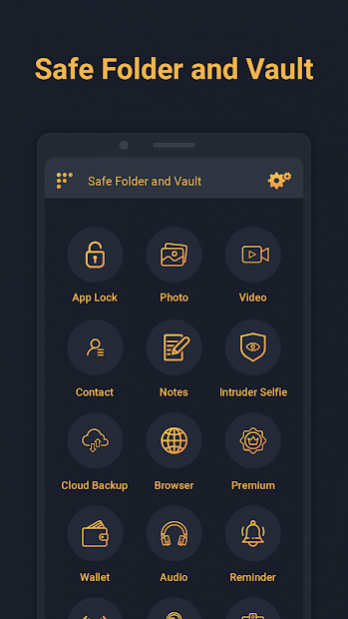
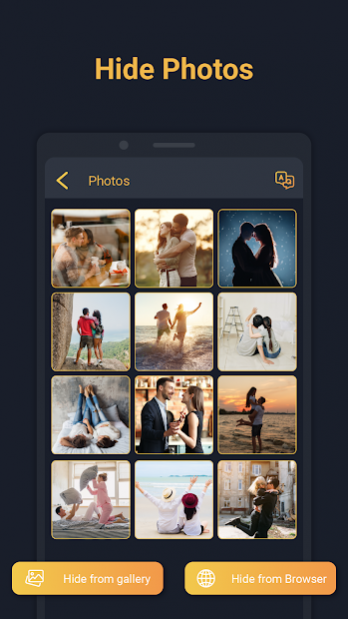
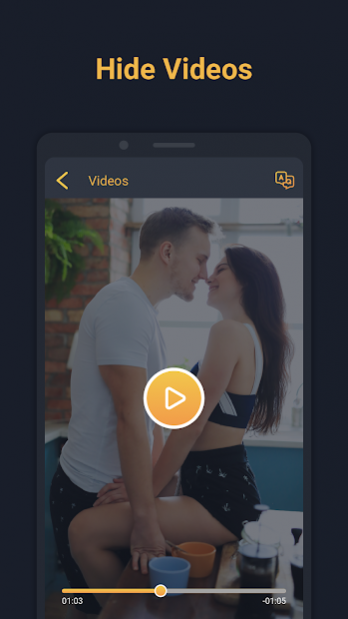
Safe folder vault app lock help you to hide private photos, secure videos, lock contacts, secure notes, private incognito browser, wifi file transfer, use social media, free cloud backup, google drive backup.
Secure folder lock app to keep safe privacy with file manager, protect video locker, photo locker vault app with safe gallery lock app
* App Lock
- Lock any app which you want.
- Prevent direct access of app from all user.
- Save data from your child.
* Safe Photo Album and vault
- Import Photos from gallery.
- Export Photos to gallery , Delete photos.
- Multiple Photo can be handled at a time.
- Fast and intuitive photo viewer
* Safe Video Album and Secure Folder
- Import Video(s) from Gallery.
- Export Video(s) to gallery , Delete photo(s).
- Multiple Video can be handled at a time.
- Watch Video.
* Audio Support
- Import Audio(s) from music library.
- Listen Audio.
- Delete Audio.
* Secret Contact
- Manage Contacts.
* In app Purchase
- Remove ads from app by purchase subscriptions plan
* Secure Note
- Manage Secure Notes.
* Intruder Selfie
- Intruder Selfie will helps you to identify unauthorized person(s), Who have tried to watch your secure data.
- When user entered wrong password user photo will be captured unknowingly.
* Cloud Backup
- By using cloud backup user can take backup of their data( ex.images, video, audio, notes, contacts).
- Also, User can restore their data backup from google drive to the app.
* Secure Browser
- Browser won’t remember the pages you visited, Your search history will be removed after you close your browser.
* Transfer Photo
- By using Transfer feature, user can transfer Applications, Images, videos or audio files between two Android device.
* Wallets
- User can manage their ATM Cards, Bank Accounts, Credit Cards, Id Cards, License, Passport Cards, Insurances, Email Accounts, Social Networks, Business Cards, E-Commerce, Web Accounts, Business Informations, General Purpose, Health & Hygiene.
* To Do List
- User can add details regarding reminder data (date, time, repeat & reminder text).
- User get notified when event gets fired.
* Wifi File Transfer
- User can transfer file(s) between your Personal Computer and Android device.
Choose Safe Folder because:
- You can protect your privacy very securely with lots of features!
- Children are not able to change the setting of your phone and mess up your data.
- You don't need to worry about your friends borrow your phone to play games.
- Never worry about your private data may be read by some other apps.
This app uses the Device Administrator permission.
Disclosure:
To prevent Safe folder being uninstalled, Safe folder need Device Administrator Permission and it never use any other Device Administrator permission except uninstall prevention.
-----Useful FAQ Safe Folder and Vault--------
Q). My hidden files are stored online?
A. No, your hidden files are stored inside phone locally.
Q). Got new phone or phone stolen or broken. Can I recover hidden files from old phone?
A. No, currently we do not support online backup of your hidden files so that you can not recover any of files from the old phone.
Q).How can I access hidden app?.
A. Go with this link
www.usemysmartapp.com/safefolder.html >> press click to open safe folder link.
Q) After hide app, I am not able to open app.
A. Above lollipop device, Go to you phone security app(setting)-->app-->permission-->Auto start-->enable autostart of safe folder and vault.
IMPORTANT: Do not uninstall this app before unhiding your personal files otherwise it will be lost forever. Activate Uninstall Protection to prevent this app from being uninstalled by others especially kids.
About Safe Folder: Keep Secure Photo Vault App Lock
The company that develops Safe Folder: Keep Secure Photo Vault App Lock is usemysmartapp. The latest version released by its developer is 1.0.77.
To install Safe Folder: Keep Secure Photo Vault App Lock on your Android device, just click the green Continue To App button above to start the installation process. The app is listed on our website since 2021-09-07 and was downloaded 0 times. We have already checked if the download link is safe, however for your own protection we recommend that you scan the downloaded app with your antivirus. Your antivirus may detect the Safe Folder: Keep Secure Photo Vault App Lock as malware if the download link to com.safefolder.photovault is broken.
How to install Safe Folder: Keep Secure Photo Vault App Lock on your Android device:
- Click on the Continue To App button on our website. This will redirect you to Google Play.
- Once the Safe Folder: Keep Secure Photo Vault App Lock is shown in the Google Play listing of your Android device, you can start its download and installation. Tap on the Install button located below the search bar and to the right of the app icon.
- A pop-up window with the permissions required by Safe Folder: Keep Secure Photo Vault App Lock will be shown. Click on Accept to continue the process.
- Safe Folder: Keep Secure Photo Vault App Lock will be downloaded onto your device, displaying a progress. Once the download completes, the installation will start and you'll get a notification after the installation is finished.
Program Details
System requirements
Download information
Pricing
Version History
version 1.0.77
posted on 2021-09-07
- Open hidden app via this link: www.usemysmartapp.com/safefolder.html >> press "click to open safe folder link".
- Video Player issue solved
- Audio player issue solved
version 1.0.77
posted on 2021-09-07
- Open hidden app via this link: www.usemysmartapp.com/safefolder.html > > press "click to open safe folder link".
- Video Player issue solved
- Audio player issue solved
version 1.0.76
posted on 2021-08-18
- Open hidden app via this link: www.usemysmartapp.com/safefolder.html > > press "click to open safe folder link".
- Crashes solved
- Ads issue solved
version 1.0.72
posted on 2021-06-12
- Open hidden app via this link: www.usemysmartapp.com/safefolder.html > > press "click to open safe folder link".
- App open issue solved
- UI Improved
version 1.0.68
posted on 2021-04-23
- Open hidden app via this link: www.usemysmartapp.com/safefolder.html > > press "click to open safe folder link".
- Crash resolved
- In app purchase added
version 1.0.65
posted on 2021-03-04
- Open hidden app via this link: www.usemysmartapp.com/safefolder.html > > press "click to open safe folder link".
- In app purchase added
- UI Improved
- FAQ Improved
- Crash resolved
version 1.0.59
posted on 2021-02-10
- Open hidden app via this link: www.usemysmartapp.com/safefolder.html > > press "click to open safe folder link".
- Minor Bug Fixed
- Crash resolved
version 1.0.56
posted on 2020-12-11
- Bug Fixed
- Cloud backup issue resolved
version 1.0.53
posted on 2020-06-23
- www.usemysmartapp.com/safefolder.html - Hidden app can access via this link
- Image backup issue resolved
- Google drive backup and restore issue resolved
- Bug Fixed
Disclaimer
Official Google Play Link
We do not host Safe Folder: Keep Secure Photo Vault App Lock on our servers. We did not scan it for viruses, adware, spyware or other type of malware. This app is hosted by Google and passed their terms and conditions to be listed there. We recommend caution when installing it.
The Google Play link for Safe Folder: Keep Secure Photo Vault App Lock is provided to you by apps112.com without any warranties, representations or guarantees of any kind, so access it at your own risk.
If you have questions regarding this particular app contact the publisher directly. For questions about the functionalities of apps112.com contact us.
